
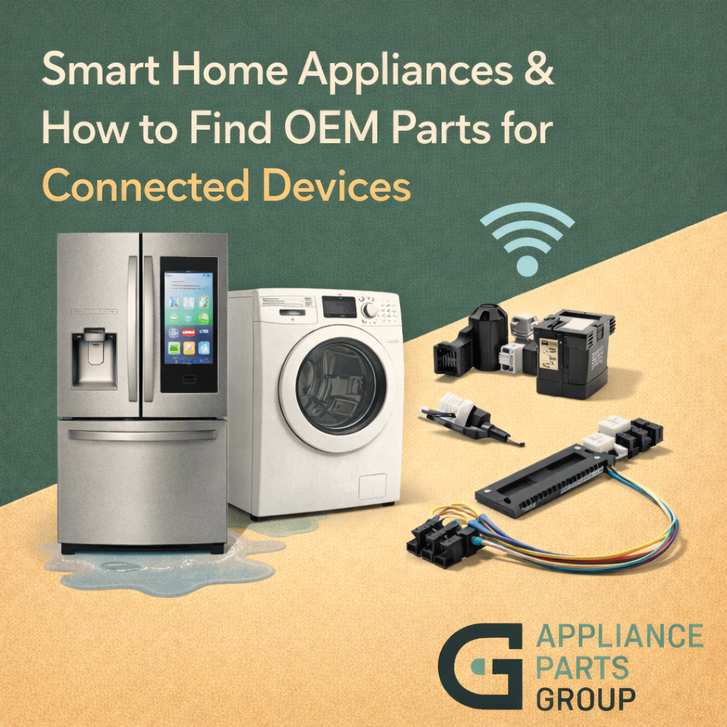
Smart home appliances have come a long way. Today’s refrigerators can alert you when the door is left open, washers can send cycle updates to your phone, and ranges can offer guided cooking features through an app. But even the most advanced connected devices still rely on the same fundamentals: motors, valves, sensors, heating elements, fans, and mechanical parts that experience normal wear over time.
The difference is that smart appliances often add a layer of electronics—like control boards, user interfaces, Wi-Fi modules, and specialty sensors. When something breaks, finding the correct replacement part can feel more complicated. The good news: if you know what information to look for, you can still identify the right genuine OEM part with confidence.
Why OEM matters for connected devices: Smart appliances rely on tight compatibility between components. Using genuine OEM parts helps ensure correct fit, proper electrical specifications, and expected communication between modules and sensors.
What Makes Smart Appliances “Different” When It Comes to Repairs?
Connected appliances often include extra components such as:
- Main control boards that manage both traditional functions and “smart” features
- User interfaces (touch panels, displays, keypads)
- Wi-Fi or connectivity modules for app integration
- Sensors that monitor temperature, water levels, load balance, or airflow
Because these parts interact, a smart-appliance repair usually starts with a clear diagnosis and the correct model identification.
Step 1: Find the Exact Model Number (Not Just the Brand)
The model number is the most important piece of information for any parts lookup—especially for smart appliances where multiple versions of the same unit may exist.
Common places to find the model/serial tag:
- Refrigerators: inside the fresh food compartment (side wall or ceiling)
- Washers: under the lid, on the door frame, or behind the control panel area
- Dryers: inside the door opening or on the rear panel
- Dishwashers: on the inner door edge or frame
- Ranges/ovens: inside the drawer, on the frame behind the door, or under the cooktop (varies by model)
Tip: Write the model number exactly as shown—including letters, dashes, and suffixes. Small differences can change part compatibility.
Step 2: Use the Symptom to Narrow the System
Smart features can add extra notifications, but most breakdowns still trace back to a system: cooling, heating, water fill, draining, airflow, or motion.
Examples:
- “Not cooling” usually points to airflow, defrost, fans, sensors, or sealed-system issues—not Wi-Fi
- “Not draining” usually points to a drain pump, hose restriction, or control issue
- “Error codes” may point to a sensor, latch/lock, communication issue, or power supply
- “App not connecting” could involve the Wi-Fi module, control board, or network setup (but may not require a part)
Step 3: Look for the Part Number on the Component (When Accessible)
For some smart-related components—like a display board or connectivity module—there may be a part number printed directly on the component. If you can safely access it, this can be helpful for verification.
Important: A board may have multiple numbers (manufacturer number, revision number, engineering code). The correct OEM replacement part number is often different from what’s printed on the board. Use printed numbers as a clue, then confirm compatibility through your appliance model.
Step 4: Use Diagrams and Compatibility Checks
Exploded diagrams and parts lists are especially valuable for connected devices because they help you:
- Confirm the exact location and name of the component
- Differentiate between similar parts (e.g., multiple sensors, multiple boards)
- Verify any revision notes or replacement part substitutions
If two parts look similar but have different connectors, mounting points, or revisions, OEM identification matters even more.
Common Smart-Appliance Parts People Replace
While every model is different, these are common categories of parts replaced on connected devices:
- User interface assemblies: touch panels, displays, keypads
- Main control boards and power control boards
- Door locks/latches (often tied to error codes on smart washers)
- Sensors: temperature sensors, thermistors, humidity sensors, water-level sensors
- Traditional wear components: pumps, valves, fans, igniters, heating elements, belts
Tips to Find OEM Parts Faster (and Avoid Returns)
- Start with the model number. This is your best compatibility filter.
- Match the symptom to the system. Don’t assume the “smart” feature caused the issue.
- Confirm connectors and revision notes. Especially for boards and modules.
- Keep serial range in mind. Some manufacturers change parts mid-production.
- Choose genuine OEM parts when possible. OEM parts are designed to work with your appliance’s electronics and specifications.
Get the Right OEM Part for Your Smart Appliance
Connected appliances can feel complicated, but parts lookup doesn’t have to be. With the model number, a clear symptom, and the right compatibility checks, you can identify the correct replacement part and restore performance confidently—without unnecessary guesswork.
This article was written by an AI program as part of a beta test by Appliance Parts Group to explore how artificial intelligence can help inform and educate our customers. Our goal is to use AI tools to provide clear, reliable information so you can make confident, well-informed purchasing decisions.